Loading
Integrating Claude with Umaku via MCP
Connect Claude or ChatGPT with Umaku using MCP to create tasks, track sprints, report bugs, and manage projects from AI chat.

Modern development teams are constantly looking for ways to reduce the friction between thinking and doing. Every context switch, from your AI chat to a project management tool to file a ticket or check a sprint, adds up. Over a week, those interruptions quietly erode focus and slow teams down.
Umaku’s MCP (Model Context Protocol) integration closes that gap. By connecting Claude directly to your Umaku workspace, you can create tasks, report bugs, check sprint progress, and track team performance without ever leaving the AI interface. It turns your AI chat into a fully capable project management terminal.
This article walks through how to connect Claude or ChatGPT to Umaku using MCP (Model Context Protocol), so you can submit tickets, monitor progress, and manage work directly from your AI chat.
Prerequisites
Before getting started, make sure you have the following:
- An active Umaku account with at least one project.
- A Claude.ai account (any plan).
Step 1: Get Your Umaku MCP Token
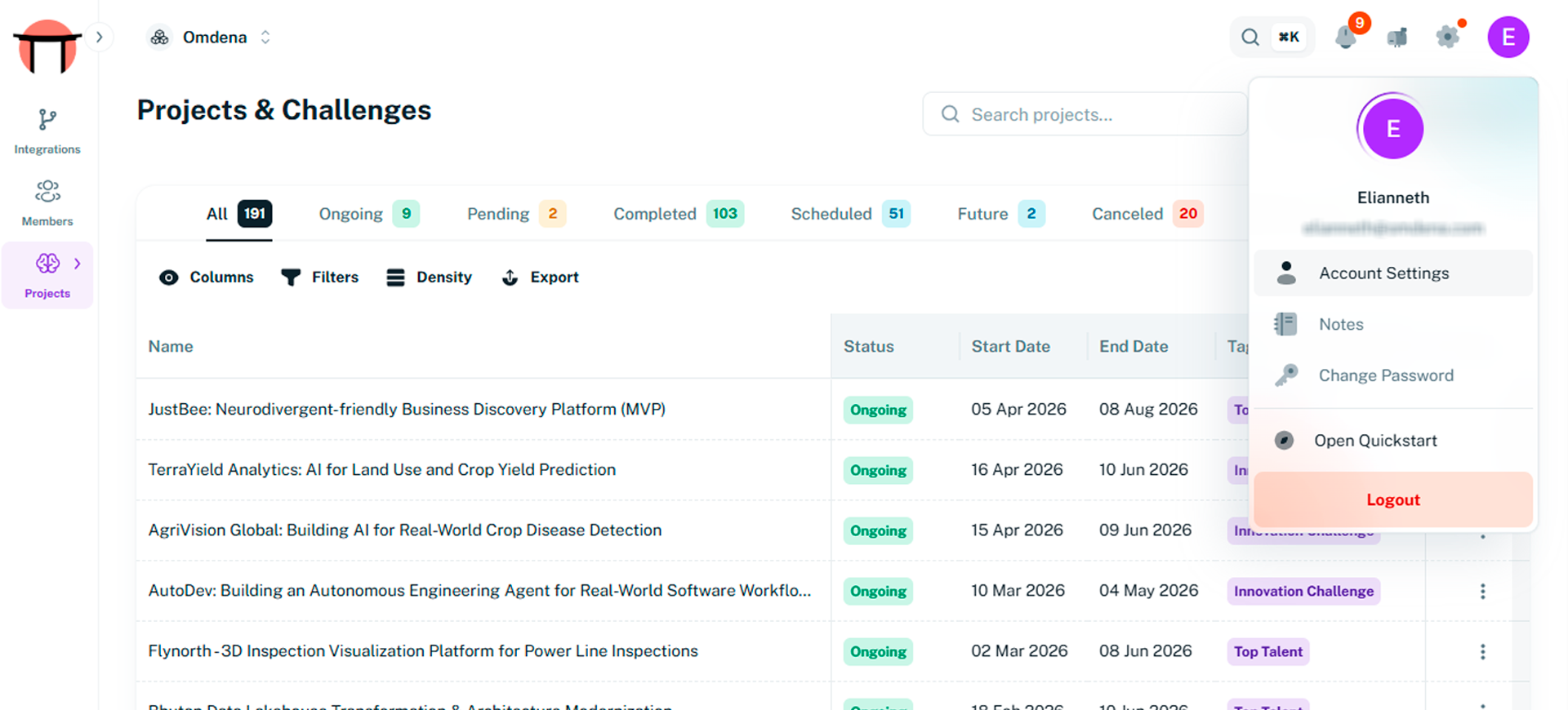
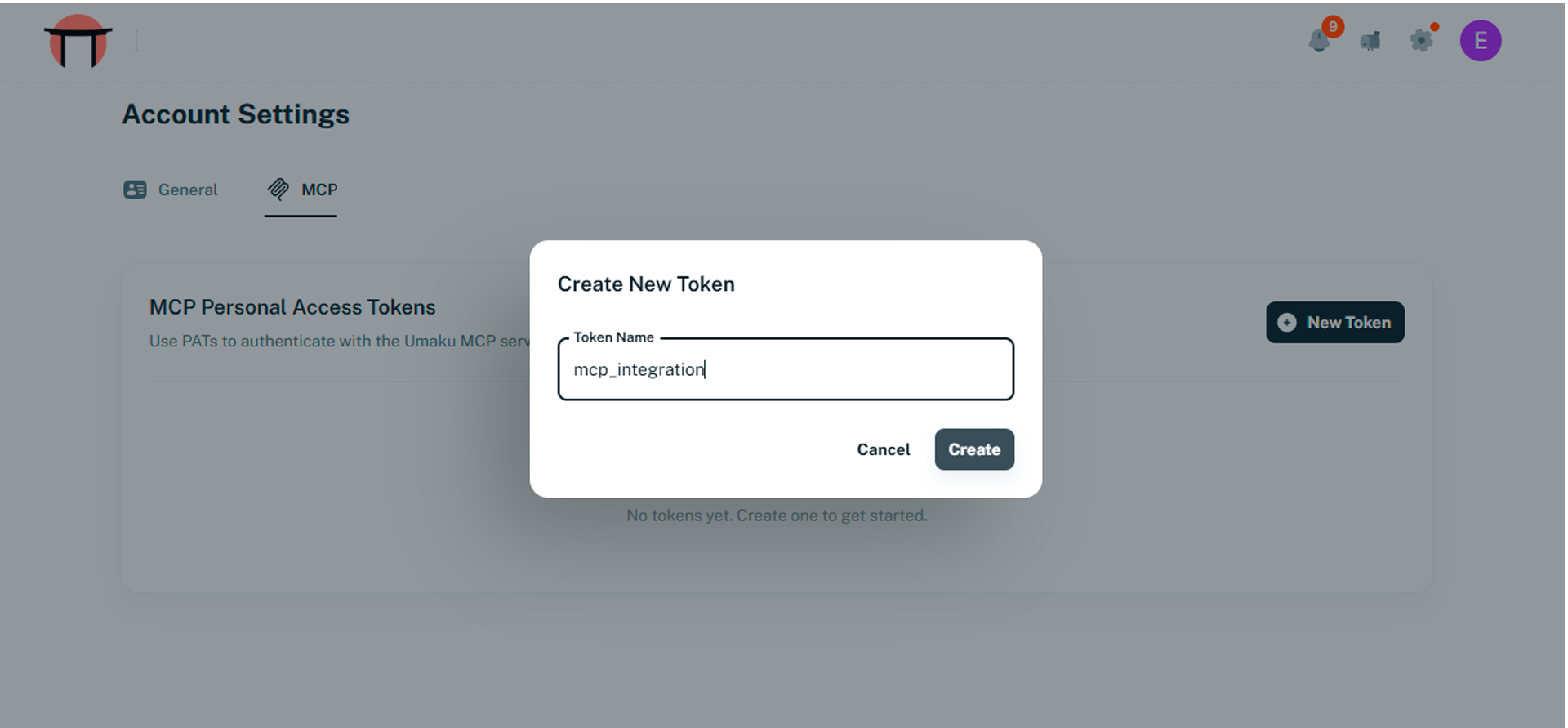
Everything starts with a token. Your Umaku MCP token acts as your secure identity layer between Claude and Umaku. Through this token, the AI interacts with the platform on your behalf while fully respecting Umaku’s Role-Based Access Control (RBAC) permissions. This ensures the assistant can only access and perform actions that your account is authorized to handle. Head to platform.umaku.ai, click your profile avatar in the top-right corner, and navigate to Account Settings. In the left sidebar, select MCP and click Generate token. Assign a name, copy, and save.
Step 2A: Connect to Claude.ai
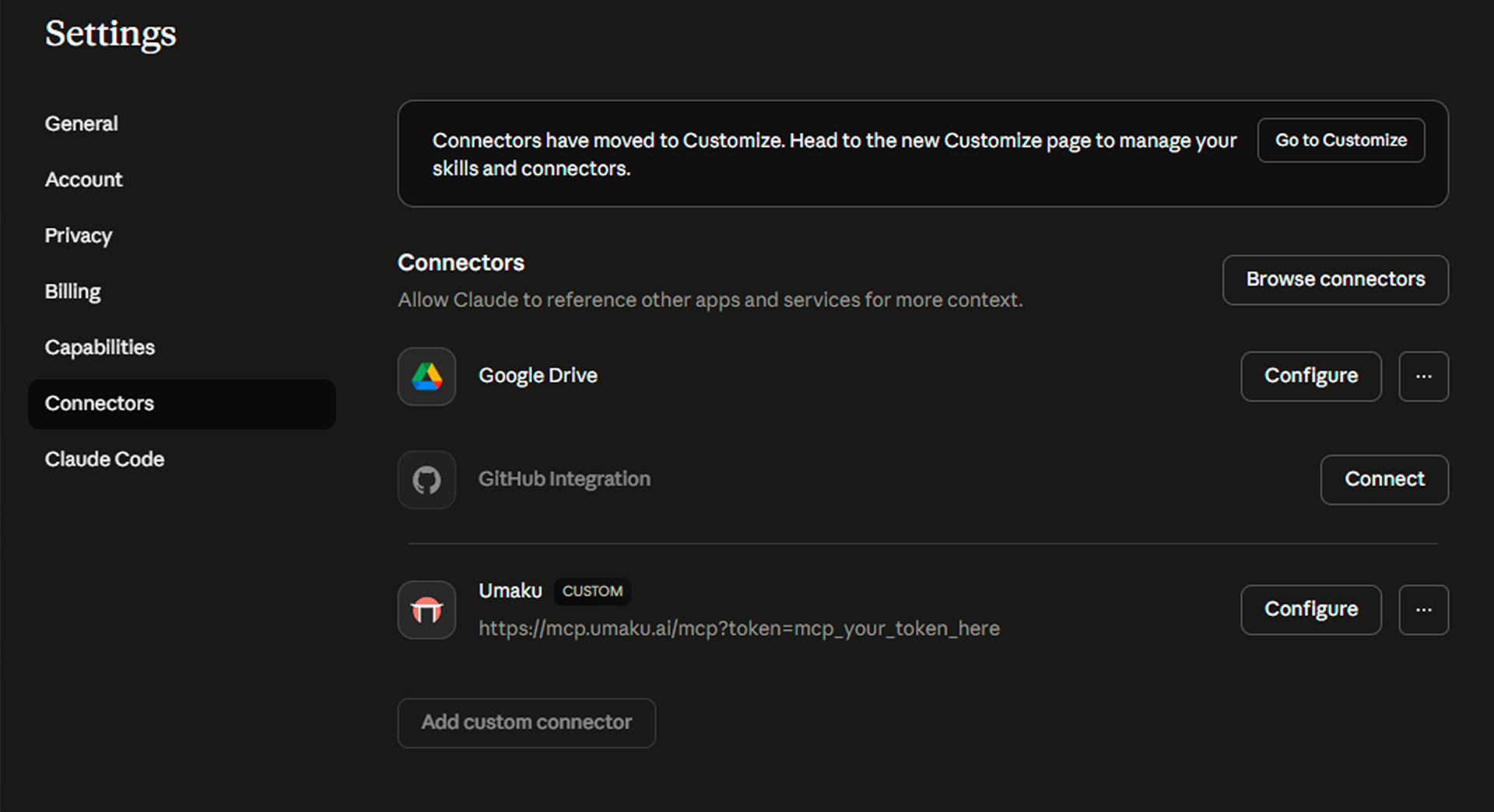
Open claude.ai, click your profile avatar, and go to Settings. In the left sidebar, select Connectors and click Add custom connector. Fill in the form as follows:
| Field | Value |
| Name | Umaku |
| Remote MCP server URL | https://mcp.umaku.ai/mcp?token=mcp_your_token_here |
| OAuth Client ID | (leave empty) |
| OAuth Client Secret | (leave empty) |
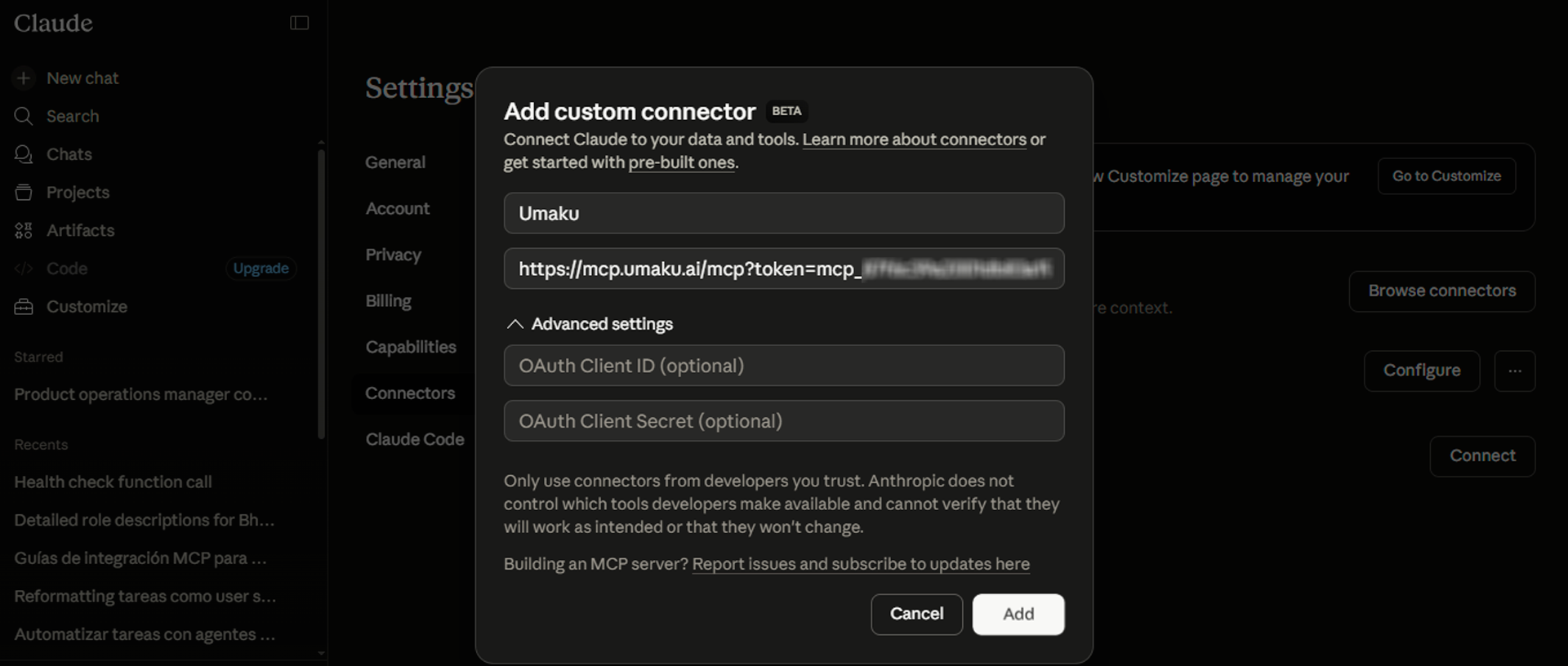
Click Add to save. The Umaku connector should now appear as active in your connectors list.
Step 3: Verify the Connection
Before creating tasks, confirm everything is working correctly. In a new Claude or ChatGPT conversation, type:
Prompt
Call Health Check
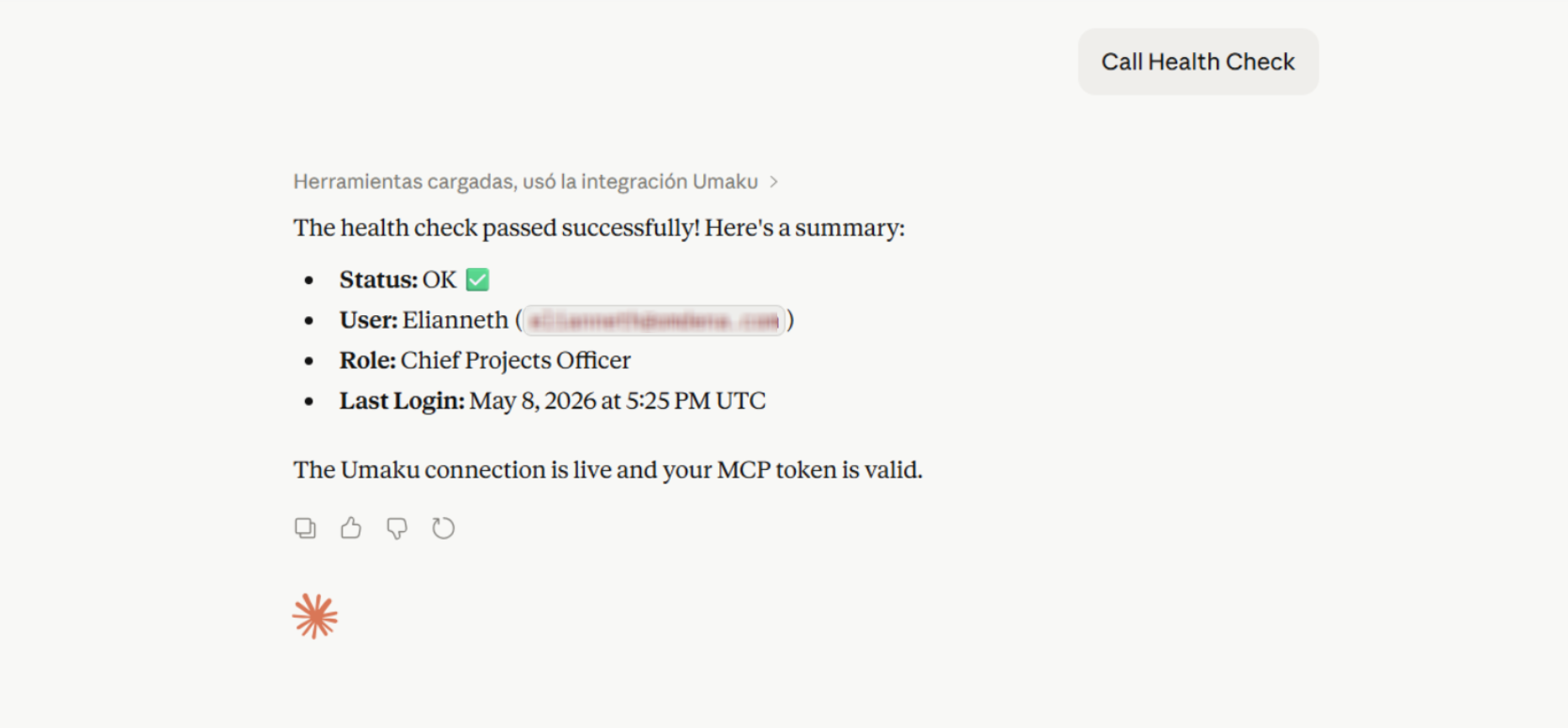
A successful response will confirm your token is valid and display your Umaku user profile, name, email, and organization. If you see an error, double-check that the token is correctly appended to the URL.
Step 4: Submit a Ticket
This is where the workflow becomes powerful. You can create structured tasks directly from a conversation. Once connected, creating tasks is as natural as sending a message. Here is the full flow.
4.1 Find your Project and Active Sprint
You can check your active projects and their ID typing:
Prompt
List my projects
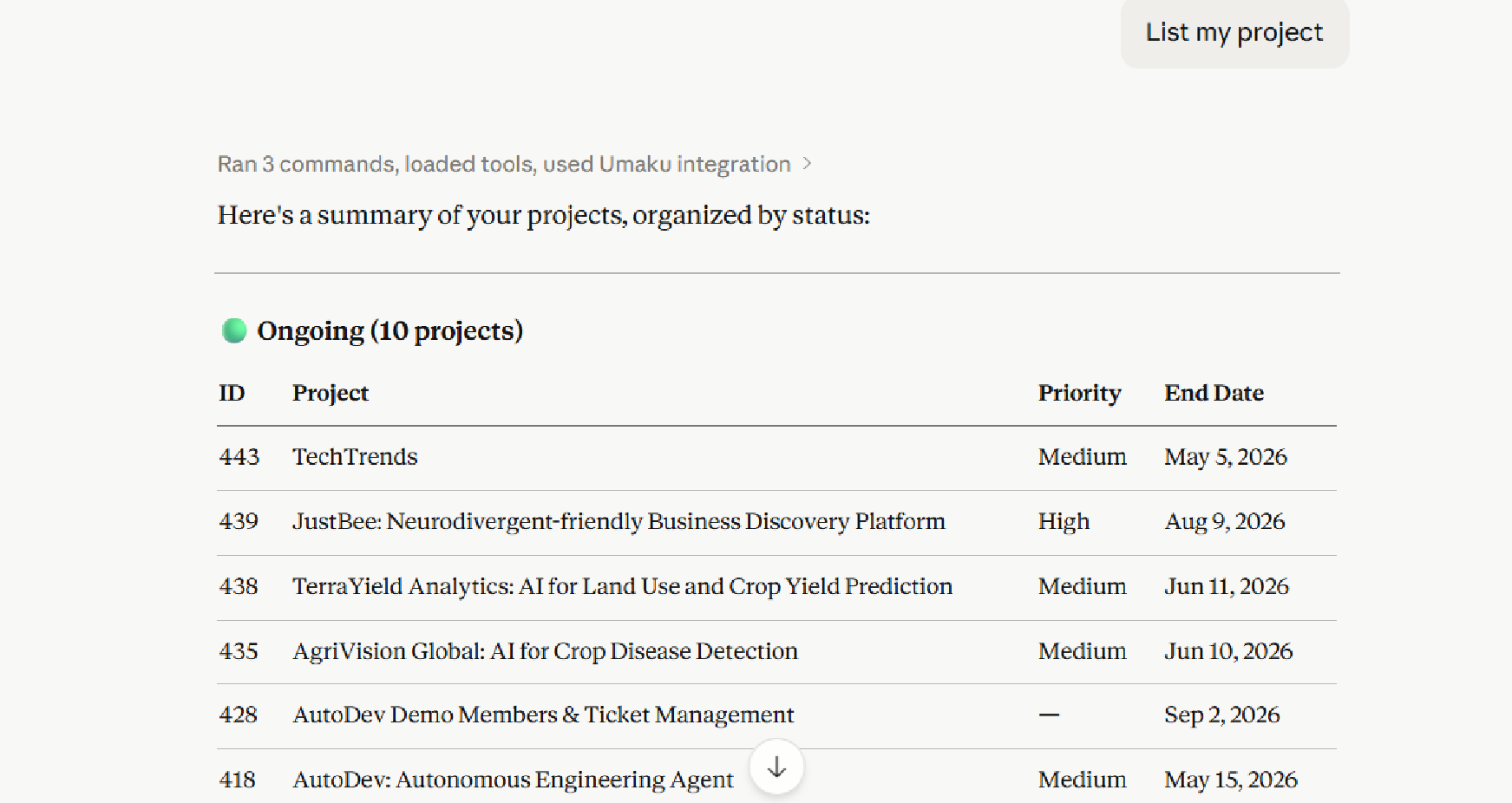
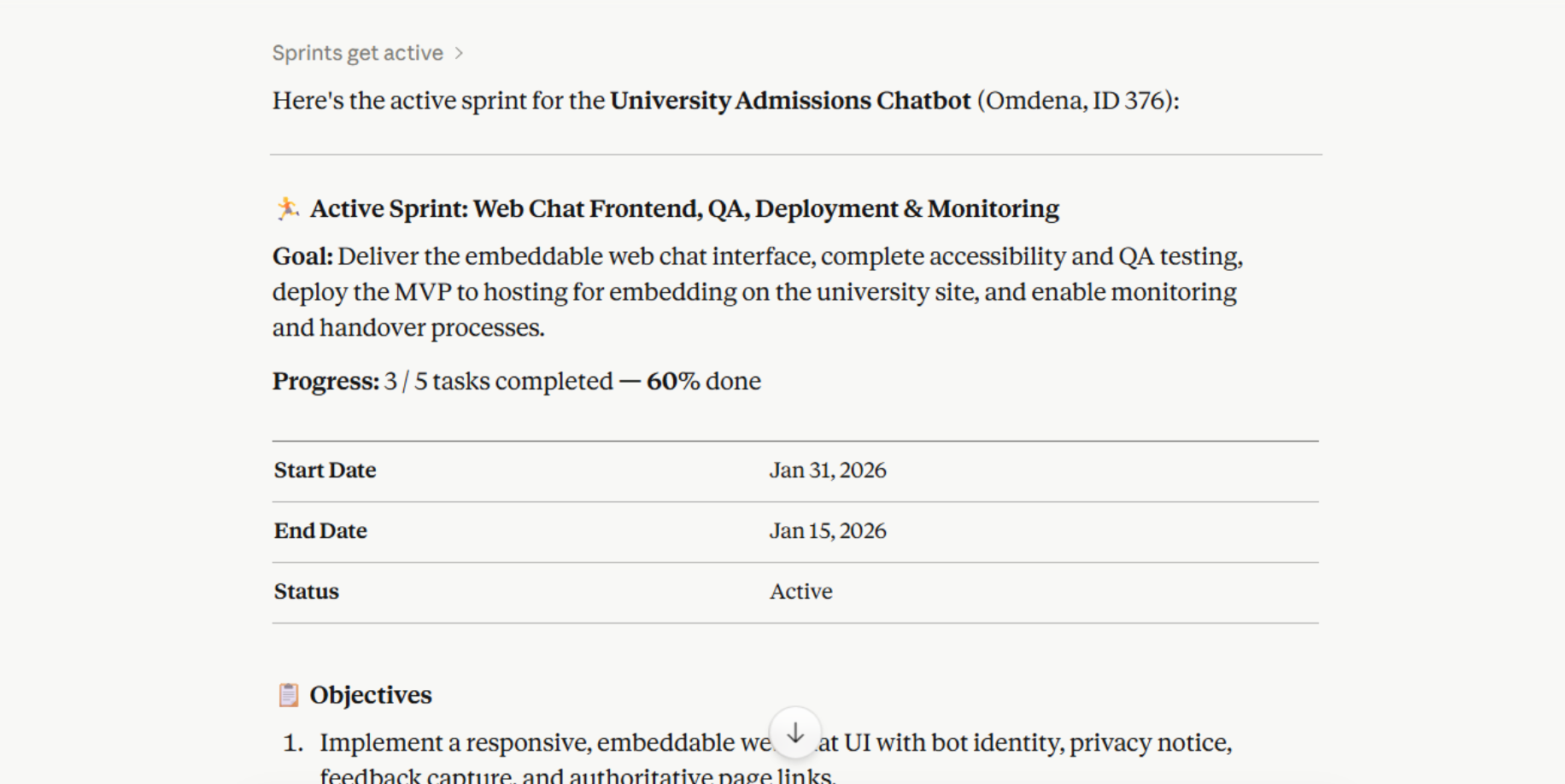
Once you do this, you need to go to the active sprint. In this sprint, your tasks will be created.
Prompt
Get the active sprint for project [project name or key words]
4.2 Create the Task
You can create one task or a or provide a list, and you can select which column (To Do, Doing, Done) these tasks will be added to.
Pass all the tasks you want to create. Include a title, description, priority, due date, expected hours, and assignee. This is a prompt example:
Prompt
Create a task in project [project name or key words] with these details:
  - Title:
  - Description:
  - Priority: high
  - Assignee:
  - Expected hours:
  - Due date: 03-05 April
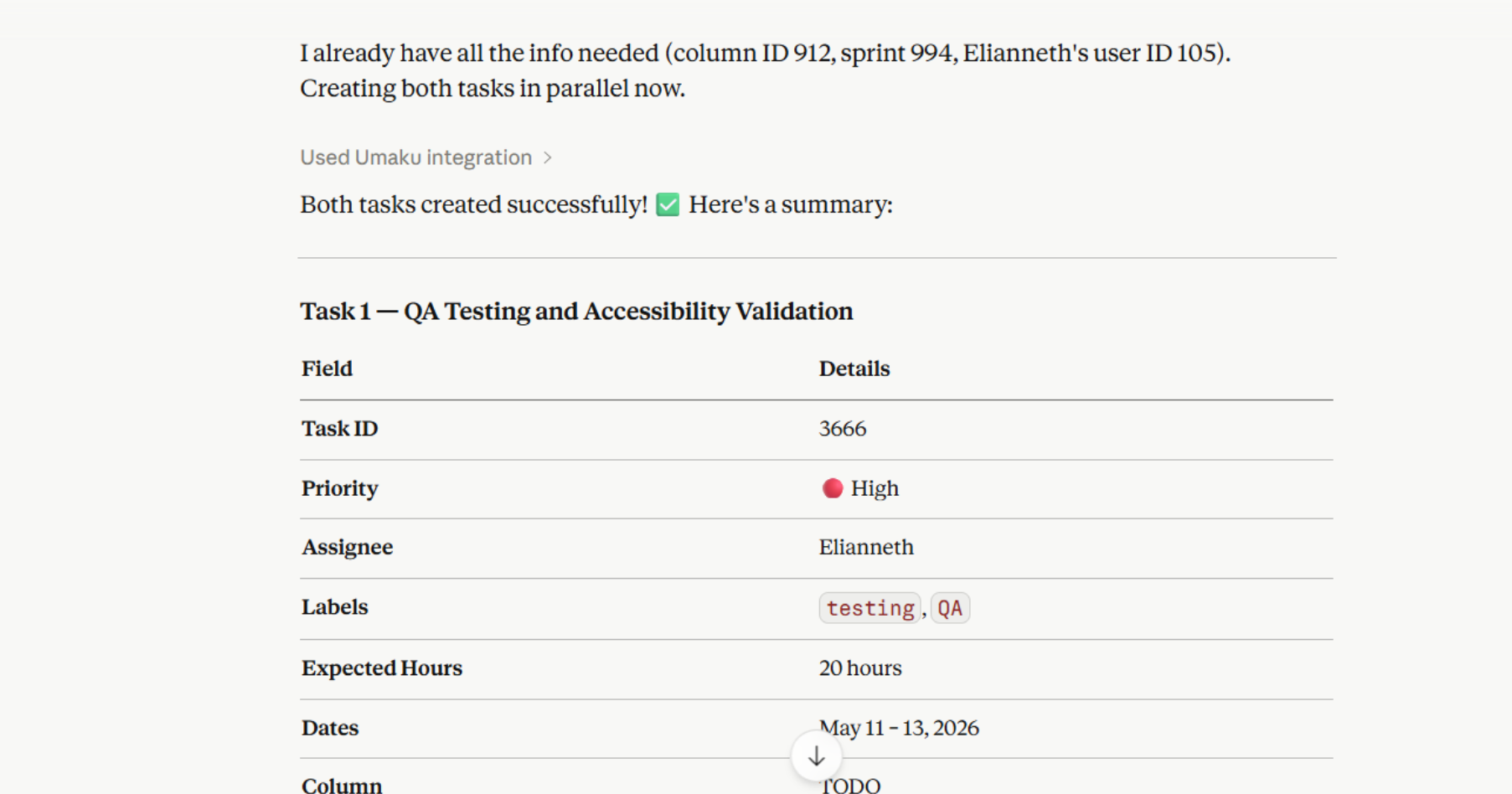
Once this step is complete, you can double-check on Umaku.
Step 5: Tracking Progress
Once tasks are in the Kanban dashboard, the same AI interface lets you monitor your sprint health in real time, no dashboard switching needed.
5.1 Check Task Status
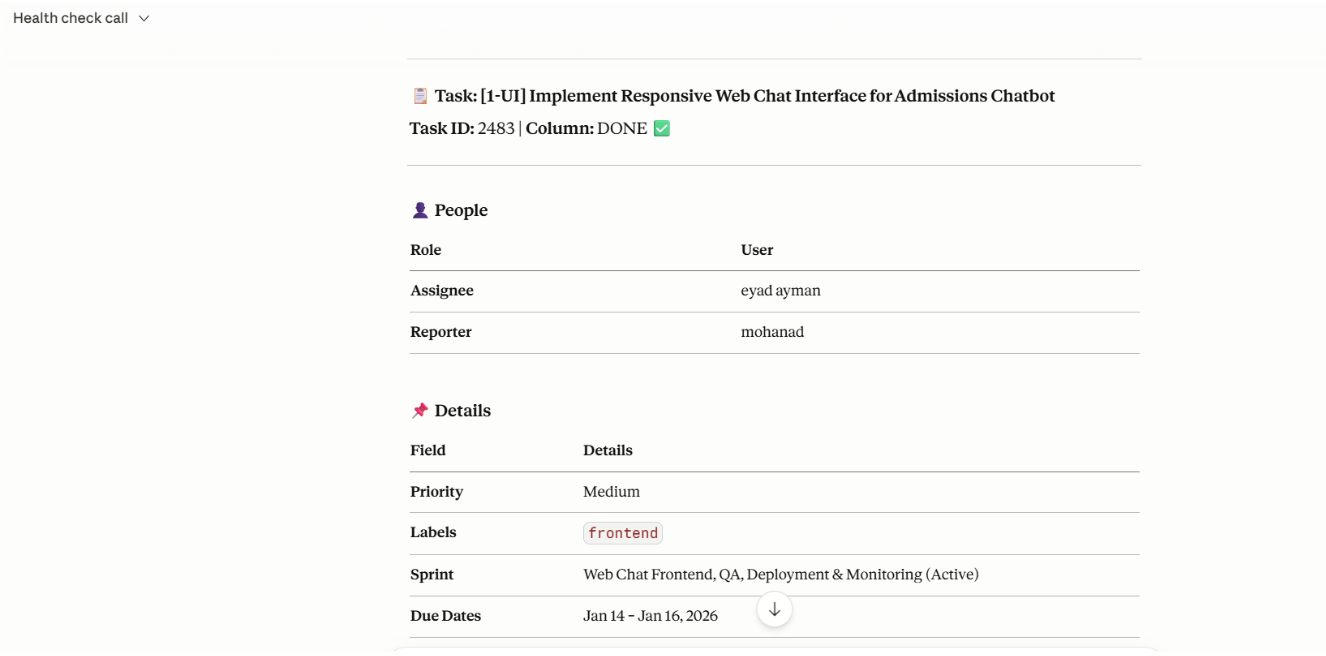
You can get full details for any task. This will return the current status, assignee, priority, actual vs. expected hours, log activity, linked commit, and comment count.
Prompt
Get full details for task [task name or key words]
5.2 View the Active Sprint
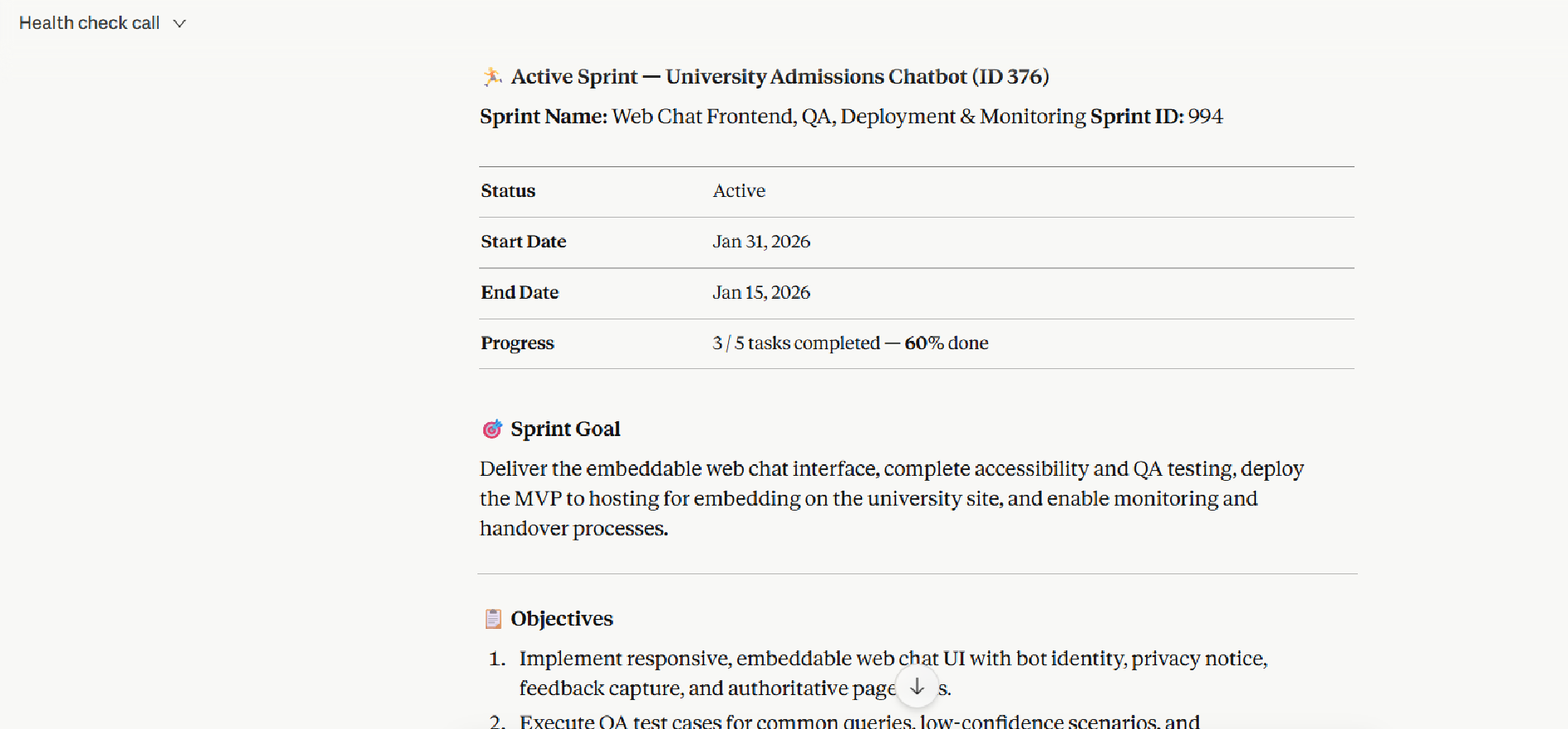
The active sprint returns the sprint goal and objectives, start and end dates, status, and overall progress percentage.
Prompt
Get the active sprint for project [project name]
5.3 Get Full Sprint Details
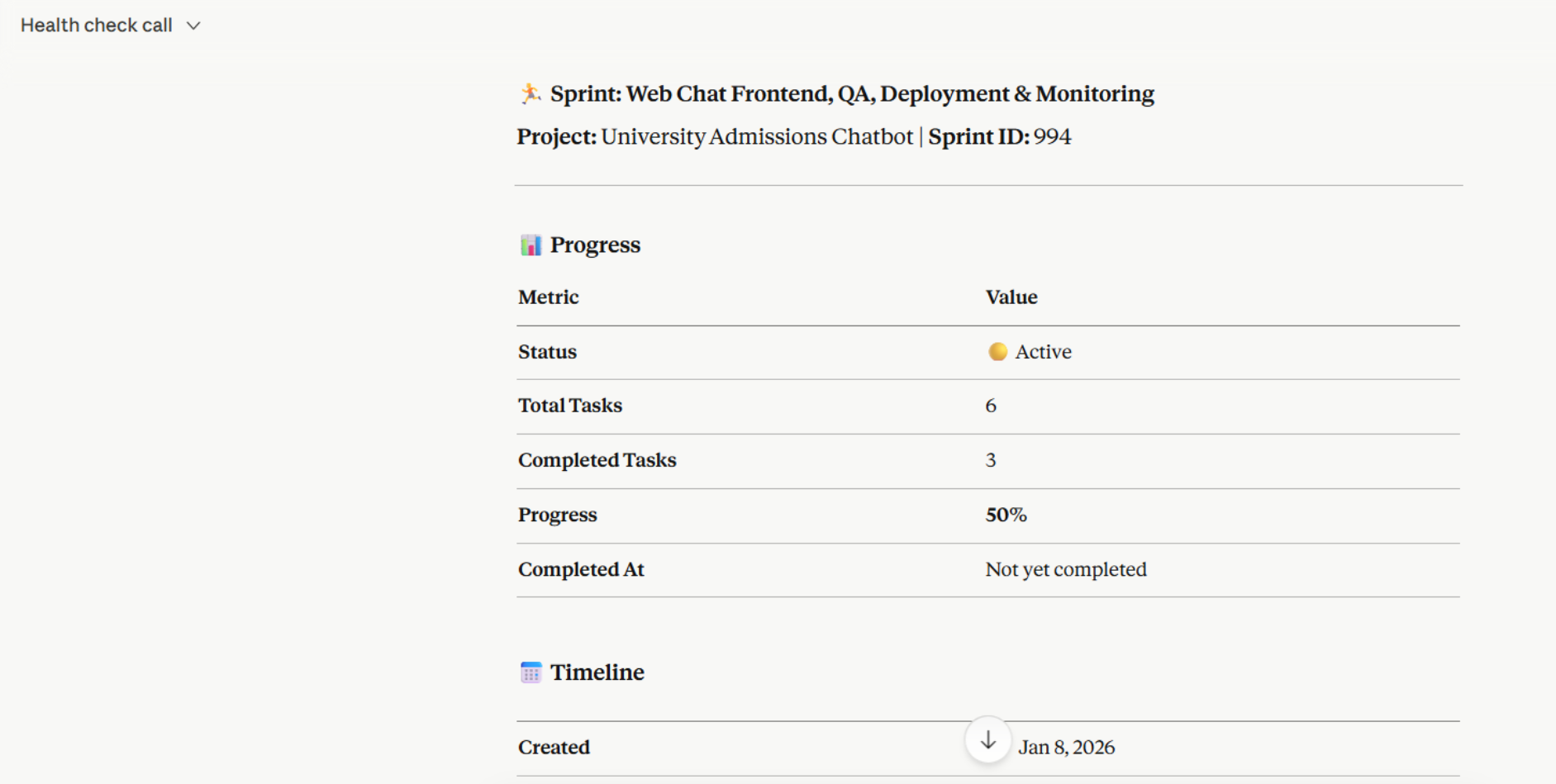
This tool gives a deeper view: completion percentage, total tasks, completed tasks, and linked feedback. This is a example for the prompt:
Prompt
Get full details for sprint [sprint number] including progress
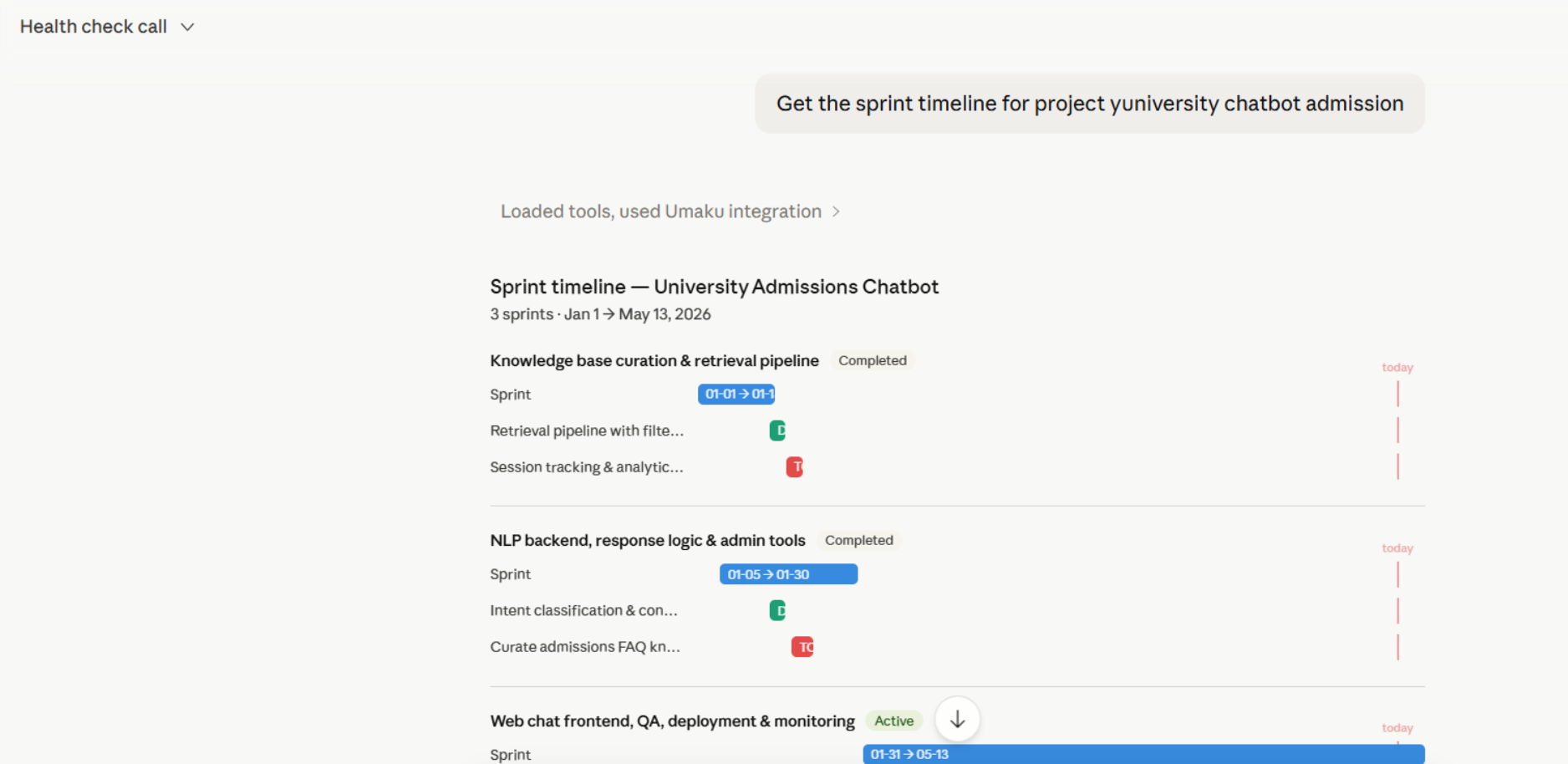
5.4 View Sprint Timeline
This tool returns a Jira-style timeline of all sprints with task date ranges, useful for spotting overlaps or overdue items.
Prompt
Get the sprint timeline for project [project name or key word]
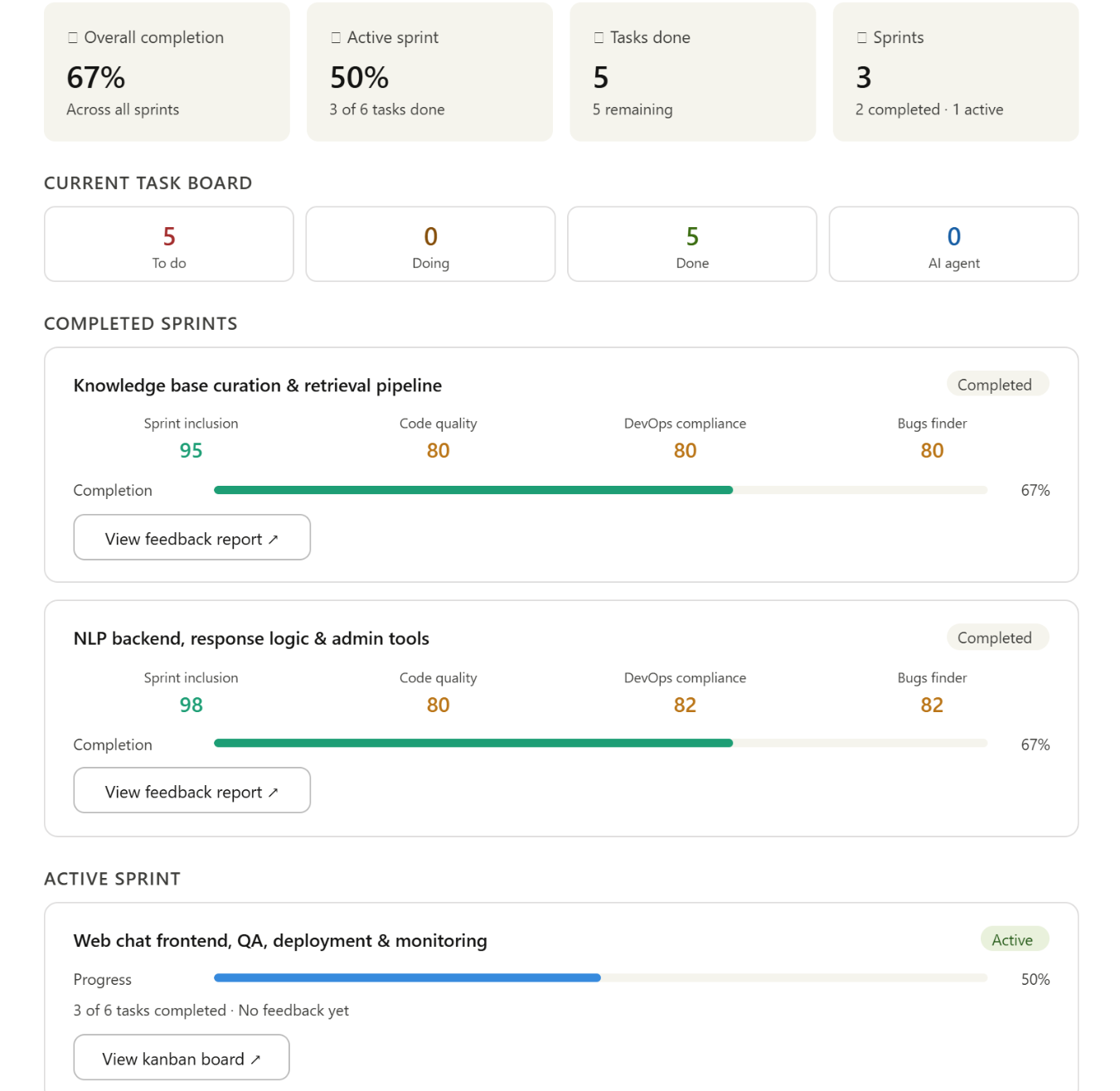
5.5 Sprint Dashboard
Returns high-level sprint metrics: completion percentage, tasks by status, and project timeline. The quickest way to get a health-check summary to share in a standup. You can also check from this dashboard the sprint feedback report for any of the completed sprints.
Prompt
Get the project dashboard for [project name or key word]
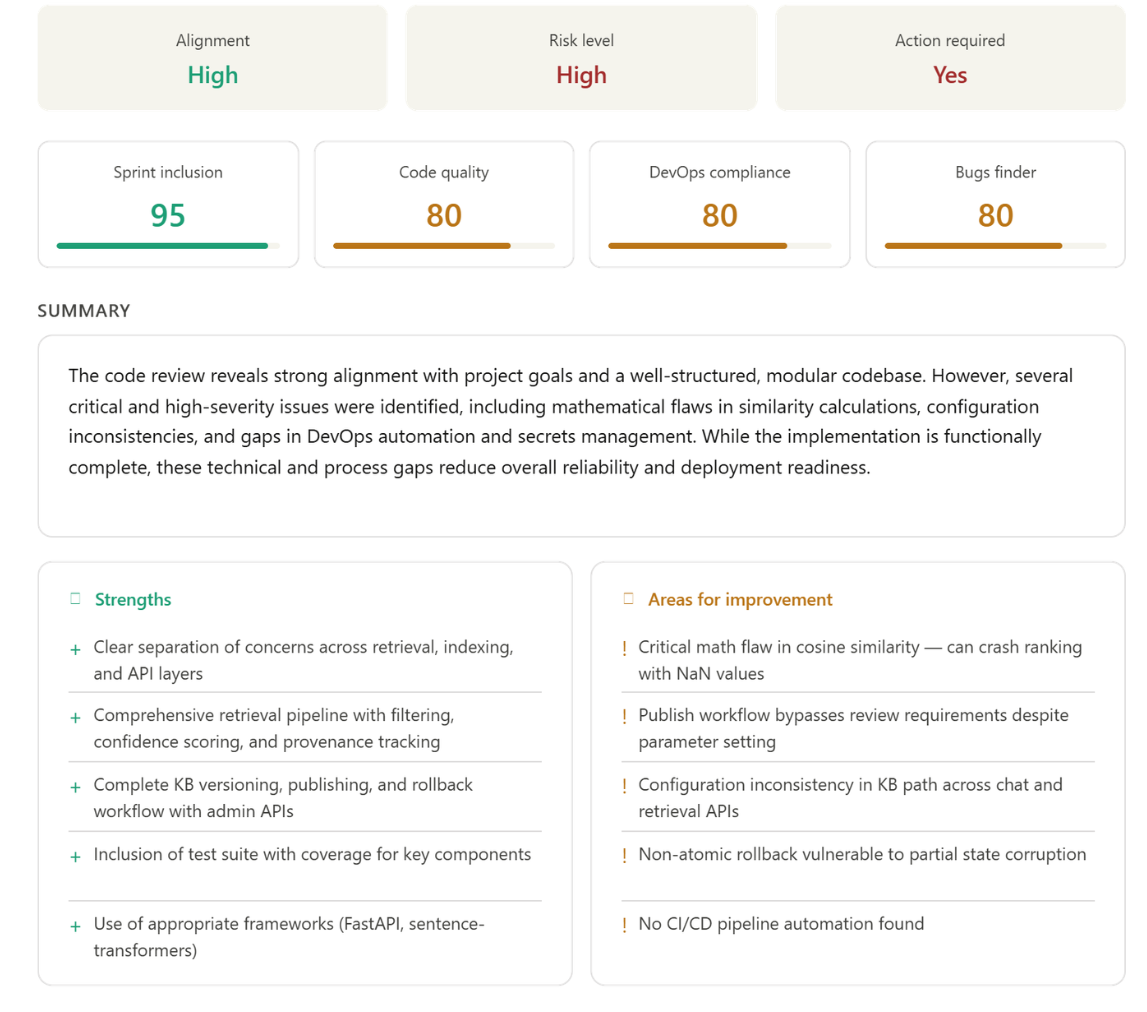
Or get the performance assessment for the team members.
Prompt
List performance assessments for the team
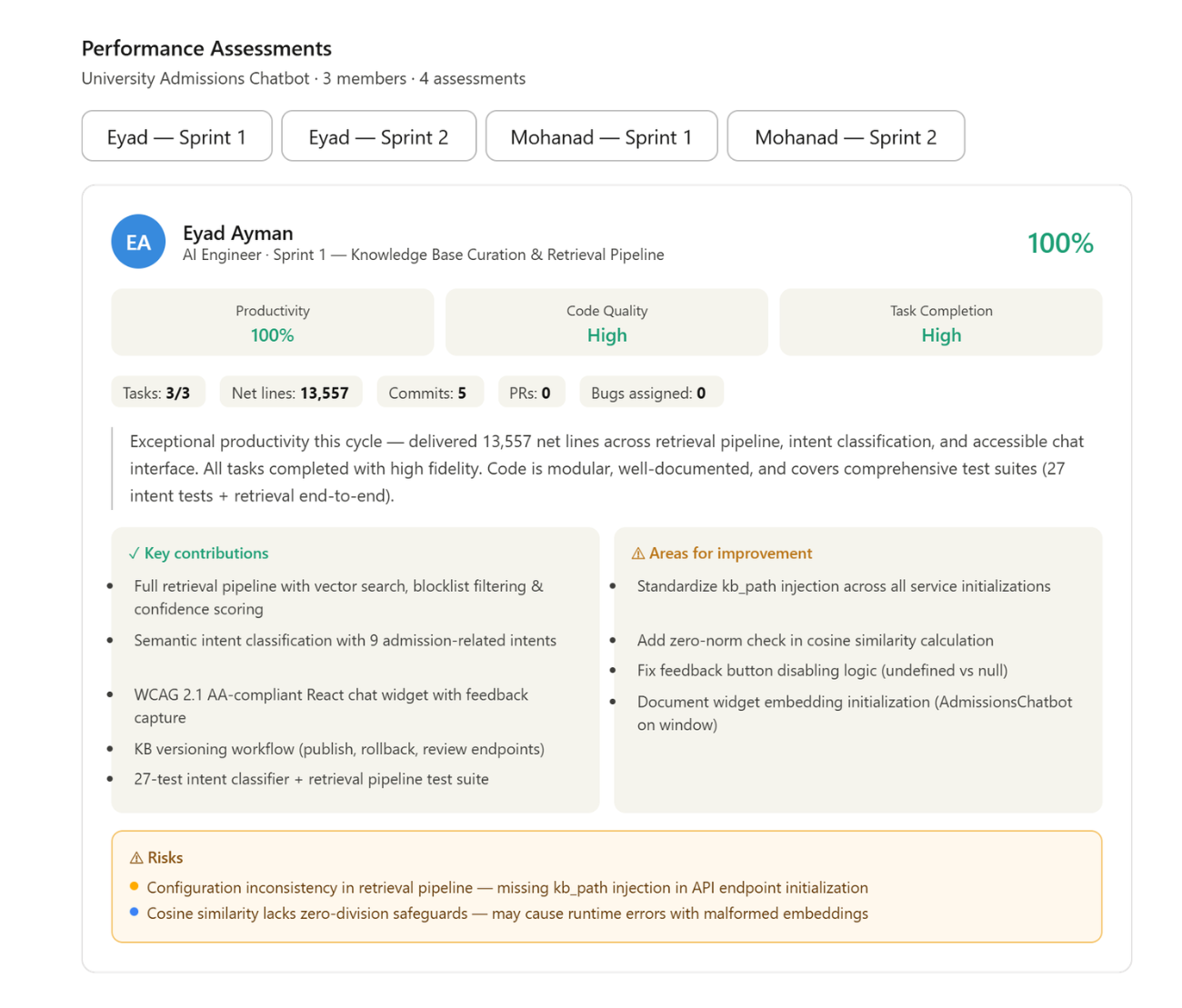
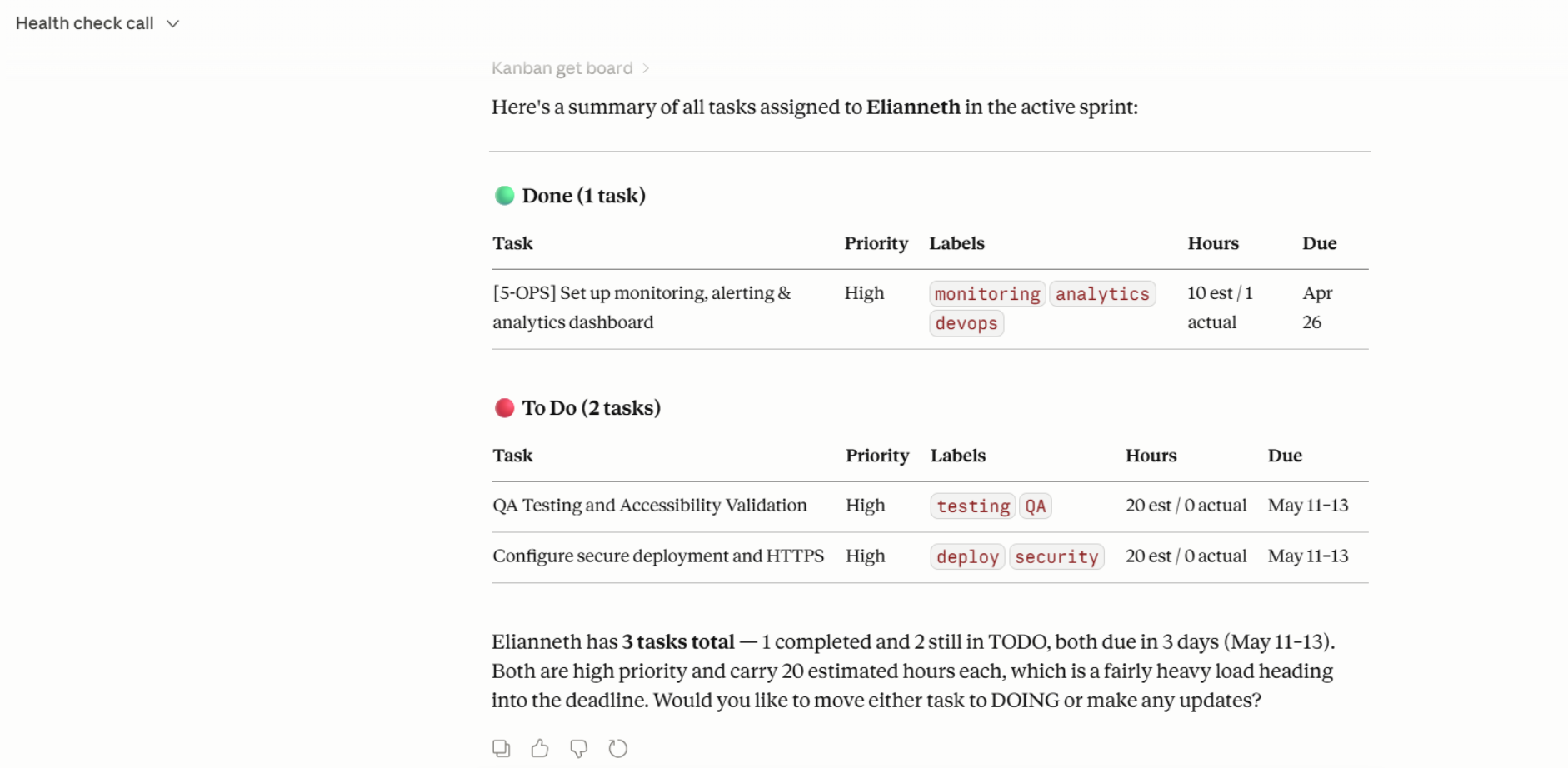
5.6 Track Progress by Team Member
Probably one of the most useful tools. This tool allows you to review the status of tasks assigned to a team member. These reports are generated by the Umaku agentic service and include task status, priority, time commitment, contribution scores, task completion rates, and a summary.
Prompt
Check the task status for [members name] in the project
You can also filter tasks by date range:
Prompt
Check the task status for user [user name] in project [project name] from 2026-04-01 to 2026-04-30
5.7 Add a Comment
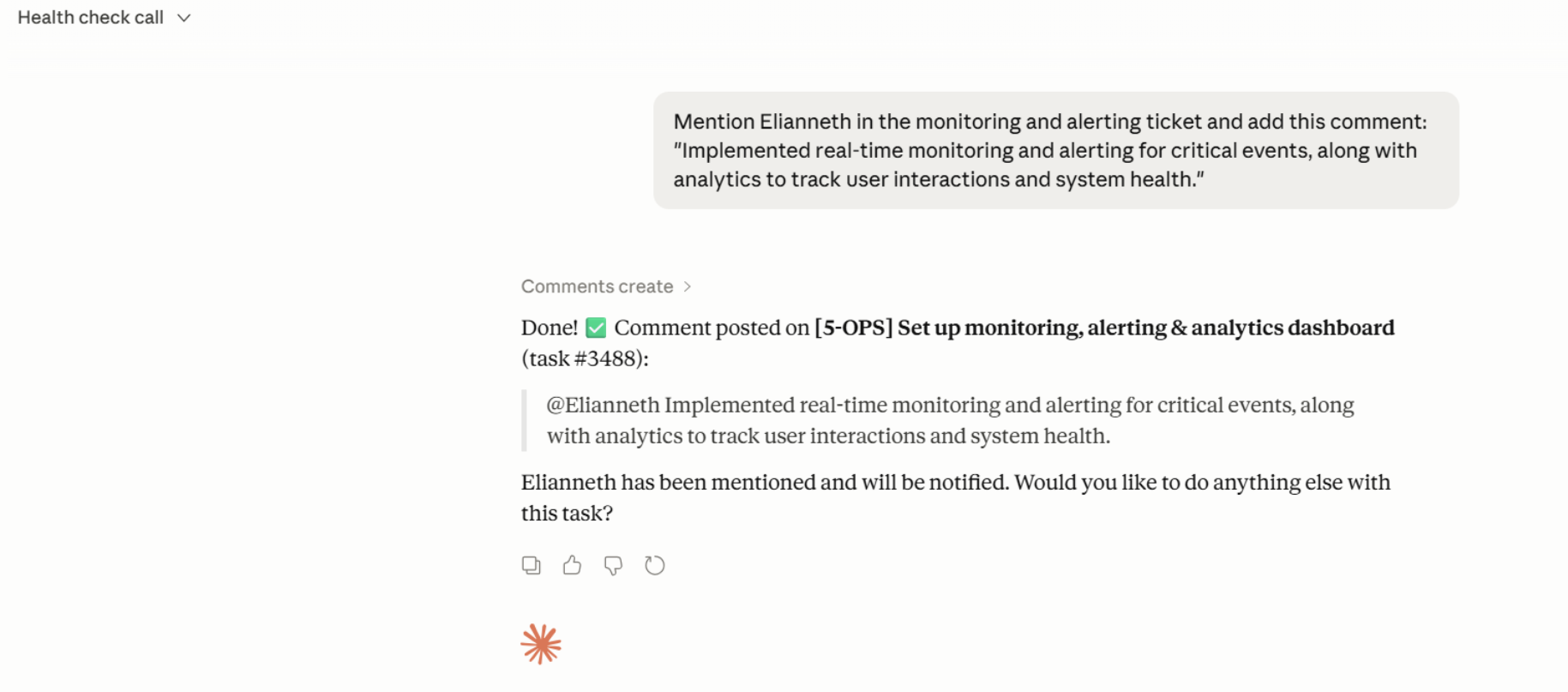
You can add any comment in a ticket directly from the chat interface:
Prompt
Mention [member name] and add a comment to task [task name o key words]:"Implemented real-time monitoring and alerting for critical events, along with analytics to track user interactions and system health."
Step 6: Report a Bug
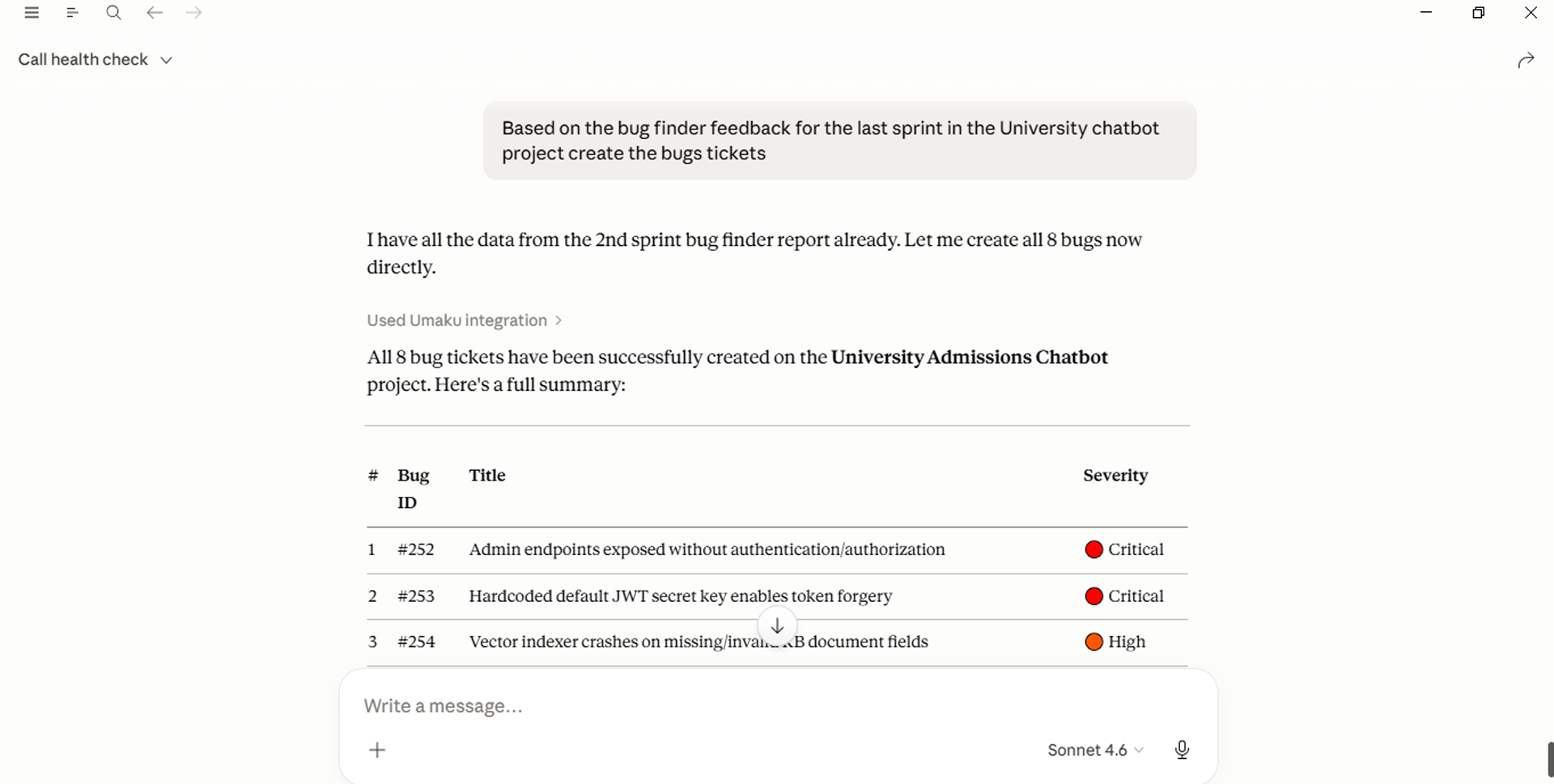
In Umaku, bugs are managed as distinct entities from Kanban tasks, allowing you to create them instantly using prompts when issues arise during testing or to generate structured reports based on AI agent feedback at the end of a sprint. This dual approach ensures that whether you are capturing a real-time edge case or performing a post-sprint audit, every issue is documented and actionable without leaving your workflow. This is a prompt example:
Prompt
Create a bug in project [project name or key word]:

- Title:
- Description:
- Steps to reproduce:
- Expected behavior:
- Actual behavior:
- Severity: (high, medium,low)
- Assignee: [user_id]
Step 7: From Sprint Feedback to Strategic Execution
For a Product Owner, integrating the Umaku MCP server transforms the “Post-Sprint” overhead into a streamlined, automated workflow. Instead of manually parsing retrospective notes and translating them into the Umaku Kanban dashboard, the PO can orchestrate the entire transition from feedback to execution via natural language.
This approach eliminates the administrative burden of manual entry, allowing the PO to focus on backlog health and value delivery directly within Umaku.
7.1 Strategic Analysis & Insight Extraction
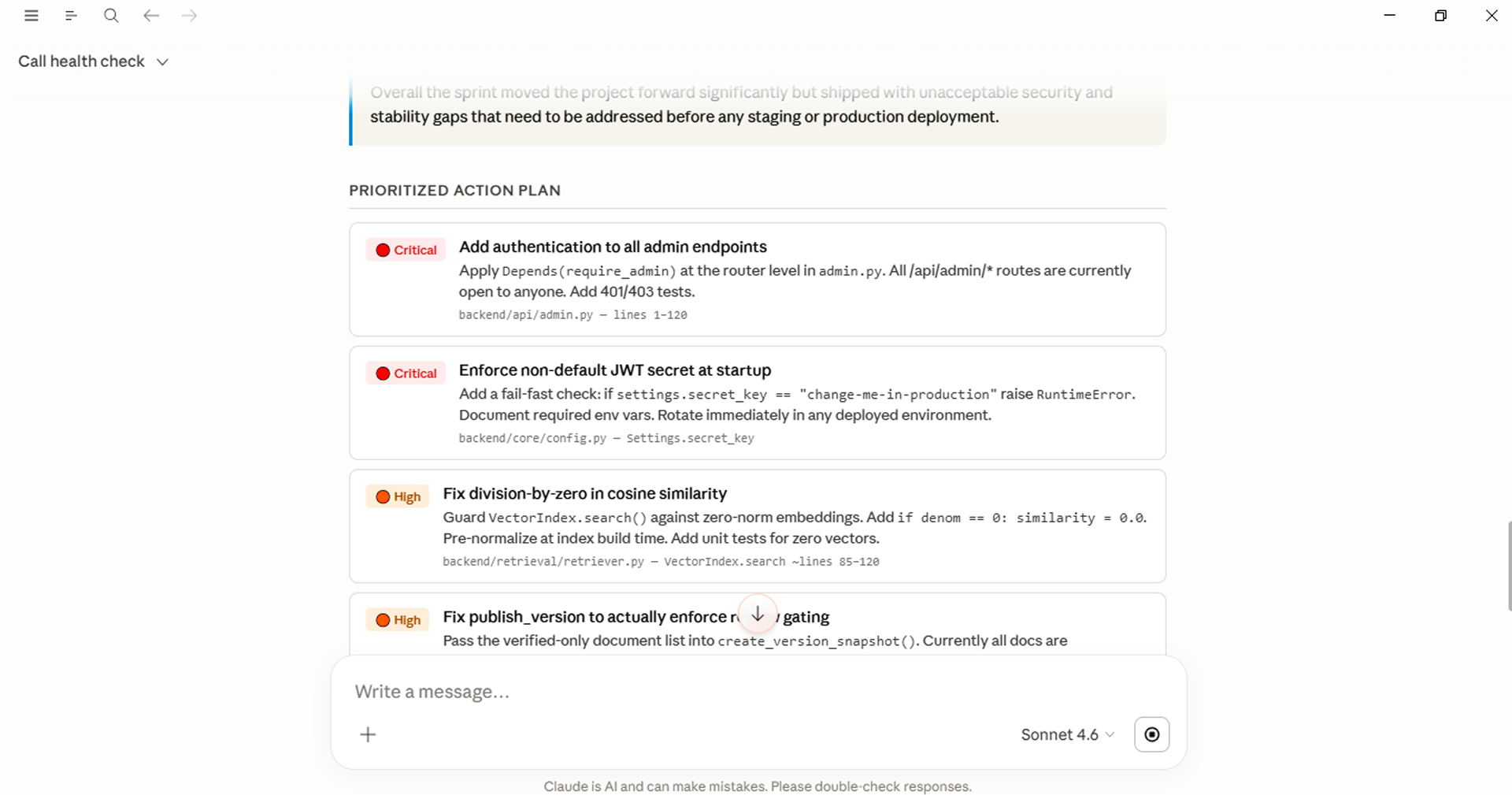
The first phase focuses on high-level synthesis. The AI analyzes retrospective notes, blockers, and technical debt to generate a structured summary within the context of your current project.
For the PO, this is a validation layer: it allows you to audit the team’s findings and refine the implementation plan before any tasks are committed to the board, ensuring that only high-priority items move forward in Umaku.
Prompt
Get the feedback, retrospective notes, and unresolved items from the previous sprint in project [project name].

Then generate:

- A concise sprint feedback summary
- A prioritized action plan
- A categorized list of findings
- Suggested improvements for the next sprint
- Recommended tasks that should be converted into tickets

Do not create tickets yet.
7.2 Automated Kanban Refinement & Ticket Generation
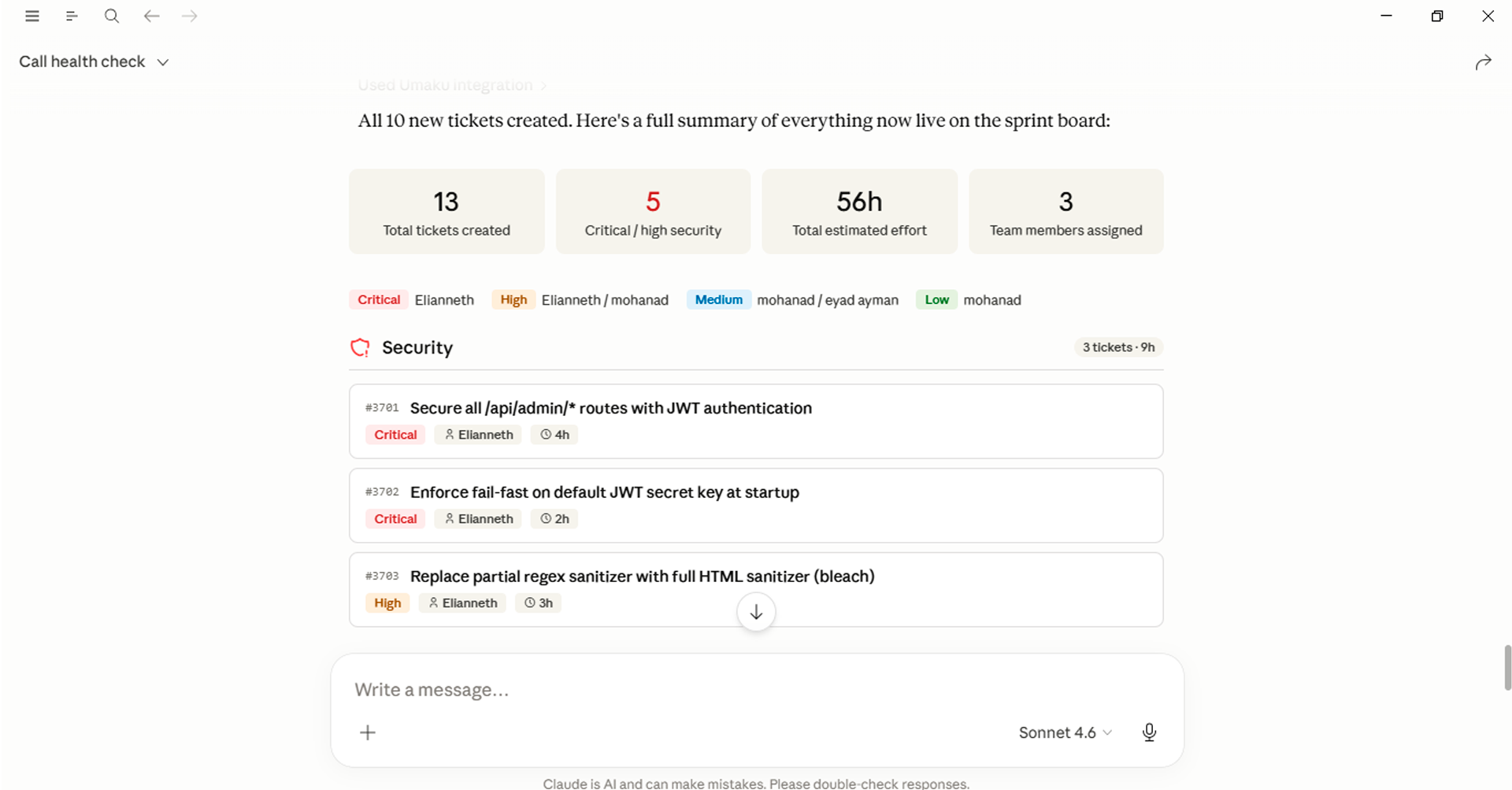
Once the strategy is validated, the AI acts as your technical assistant to convert insights into executable work items. In seconds, the AI can:
-
- Deconstruct complex feedback into granular, structured tickets.
- Auto-populate the Umaku Kanban dashboard with defined priorities.
- Categorize tasks and map them to the correct domain owners.
- Draft acceptance criteria based on the discussed feedback.
Prompt
Based on the findings from the previous sprint analysis:

Create a structured implementation plan>

- Split all identified issues and improvements into actionable tickets
- Add clear descriptions and expected outcomes for each ticket, including user stories and acceptance criteria
- Create the tickets in the current sprint board

Assignment rules:
- Assign all Security/DevOps-related tasks to [member name]
- Assign all Security/DevOps-related tasks to [member name]

Group tickets by: Backend, AI/ML, DevOps
The real value of MCP integration is not just convenience; it is a shift in how teams interact with their tools. When filing a ticket or checking a sprint requires nothing more than a natural language message, the activation energy for keeping a project board accurate drops to almost zero.
Teams that stay in their AI interface can create tasks while they are still thinking about the problem, not five minutes later when the context has faded. Managers can get a sprint health check in seconds during a standup without pulling up a separate tab. Developers can log a bug the moment they find it, with full reproduction steps, without breaking their flow.
As AI assistants become a central part of how developers and teams work, integrations like this will become the norm, not a power-user trick. Umaku’s MCP connector is designed with that future in mind.
Want to explore more of what Umaku can do? Visit umaku.ai to discover the full range of project management capabilities, from agentic sprint planning to AI-powered performance insights.